An AI workflow for automating appointment booking for small service businesses replaces manual scheduling with a connected, rule driven system that captures inquiries, checks availability, confirms appointments, updates records, and triggers follow ups automatically. Many consultants, agencies, clinics, and local providers still coordinate bookings through email threads or phone calls. This approach consumes time, creates delays, and increases the risk of double bookings or lost leads.
When you implement a structured AI workflow for automating appointment booking, you connect your website, scheduling tool, calendar, CRM, and communication system into a unified operational chain. Each action triggers the next one in a defined sequence. As a result, prospects receive instant confirmations, your CRM remains accurate, and your team focuses on service delivery instead of administrative coordination.
The Business Problem with Manual Scheduling
Manual appointment booking introduces friction at the moment of highest intent. A prospect visits your website and sends a request. Someone from your team checks availability, proposes time slots, waits for confirmation, and updates the calendar manually. If the prospect delays their response, the proposed time becomes uncertain. If multiple staff members manage schedules, conflicts can occur.
This fragmented process also affects conversion rates. Service buyers often contact several providers before deciding. If your confirmation takes hours while another business provides instant scheduling, you risk losing the opportunity. In addition, manual data entry into a CRM often produces incomplete or inconsistent records, which later reduces the effectiveness of follow up campaigns.
An AI workflow for automating appointment booking resolves these issues by centralizing availability, automating confirmations, and synchronizing data across systems in real time.
Overview of the AI Workflow for Automating Appointment Booking
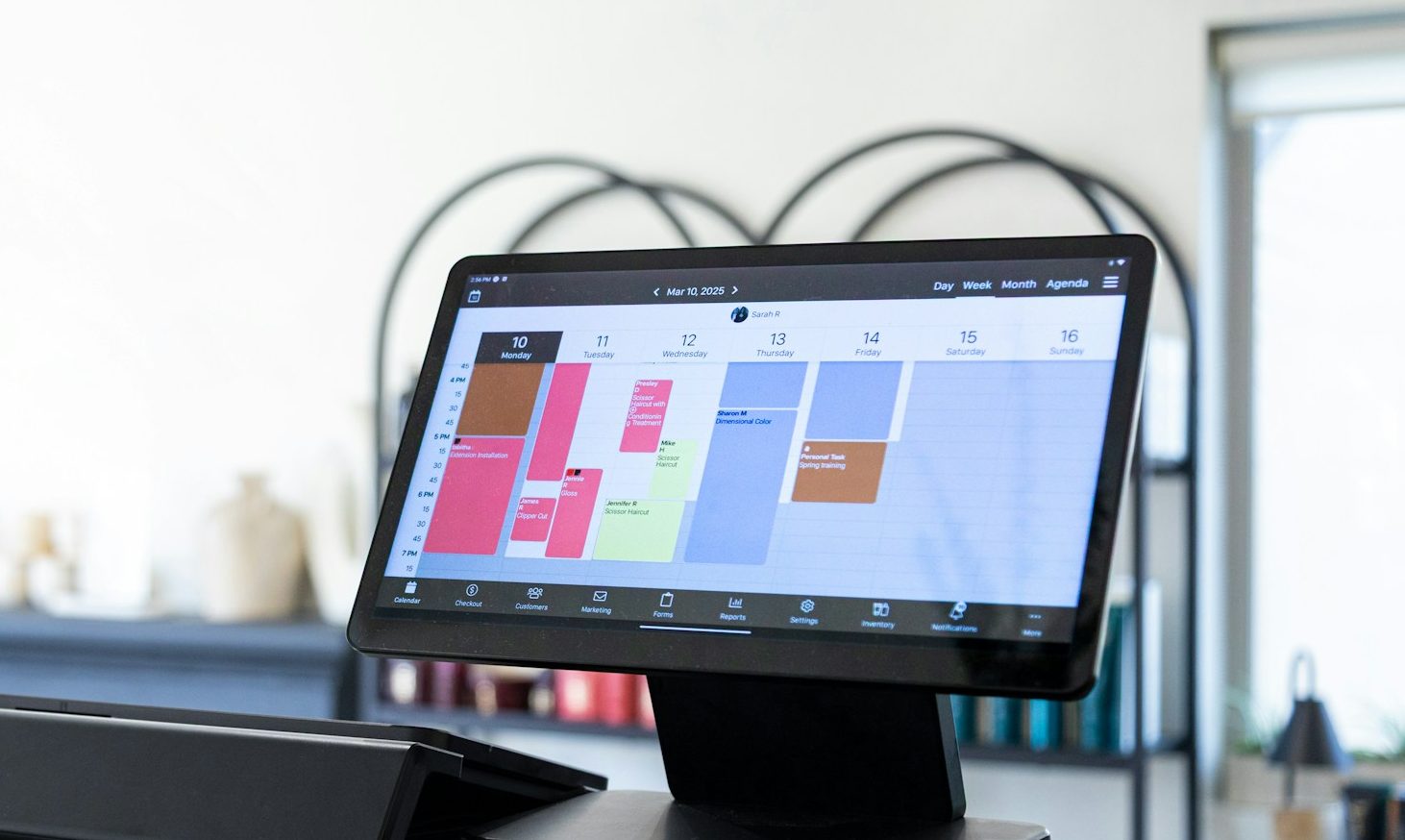
The workflow begins when a visitor interacts with a booking interface on your website or through an AI chatbot. The system displays live availability based on synchronized calendar data. Once the visitor selects a time slot, the scheduling platform validates the selection, creates the event, and triggers automation inside your CRM.
Immediately after confirmation, the CRM updates or creates a contact record. The system sends confirmation emails, optional SMS reminders, and internal notifications. As the meeting date approaches, automated reminders reduce no show rates. After the appointment, the workflow can trigger follow up sequences or move the contact into a new sales stage.
This structured sequence transforms appointment booking from a manual task into a measurable operational system.
Step by Step Implementation
Step 1. Select and Connect the Scheduling Platform
Begin by choosing a scheduling platform that integrates with your calendar and CRM. Tools such as Calendly, Acuity Scheduling, and the HubSpot meeting scheduler provide real time synchronization and automation triggers. The key requirement is two way calendar sync to prevent double bookings.
Connect the scheduling tool to your primary calendar system, such as Google Calendar or Microsoft Outlook. Enable real time synchronization so that internal meetings block availability automatically. This configuration ensures that displayed time slots reflect accurate availability.
Define operational rules at this stage. Set working hours, buffer times between meetings, maximum daily bookings, and minimum notice periods. These constraints protect your capacity while keeping scheduling flexible for clients.
Step 2. Integrate the CRM and Map Contact Data
After the scheduling tool functions correctly, integrate it with your CRM. When a booking occurs, the system must create a new contact or update an existing one. Map essential fields such as full name, email address, phone number, service type, and appointment date.
Accurate field mapping ensures downstream automation works correctly. For example, segmentation logic for follow up campaigns depends on complete and structured data. Review required form fields carefully and align them with CRM properties.
Automate pipeline updates as well. When an appointment is scheduled, move the contact automatically to a stage such as Consultation Booked. This update provides real time visibility into sales activity without manual data entry.
Step 3. Embed the Booking Interface and Configure AI Chatbot Routing
Embed the booking widget on high intent pages such as service descriptions and landing pages. Place it where visitors evaluate your offer. Reducing extra navigation steps increases booking completion rates.
If you use an AI chatbot, connect it to the scheduling system so it can present live availability when a user expresses booking intent. The chatbot should route confirmed selections into the same scheduling engine used by the website widget. Centralizing entry points prevents fragmented data and simplifies reporting.
Test both entry methods to ensure they generate identical CRM updates and trigger the same automation logic.
Step 4. Configure Automated Confirmation and Reminder Sequences
Once integration is stable, configure automation sequences triggered by booking confirmation. The confirmation event becomes the primary trigger in your workflow.
Send an immediate confirmation email that includes appointment details, calendar attachment, meeting link, and a rescheduling option. Instant confirmation reduces uncertainty and builds trust. At the same time, notify internal team members so they can prepare.
Schedule reminder messages 24 hours before the meeting and again one hour before. Use dynamic variables to insert personalized details such as date, time, and location. Because reminders pull information directly from the booking record, they remain accurate even if the client reschedules.
If your business operates locally, activate SMS reminders alongside email notifications. Many service businesses report lower no show rates when reminders reach clients on mobile devices.
Step 5. Design Conditional Follow Up and Post Appointment Logic
After the scheduled time passes, configure the workflow to evaluate meeting status. If the meeting occurred, trigger a follow up email with next steps, documentation, or an offer. If the client did not attend, send an automated rebooking link.
This conditional branching ensures communication aligns with real outcomes. Instead of manually reviewing each appointment, the system reacts based on predefined rules. You can also assign internal tasks, update lead scores, or enroll contacts into nurture campaigns based on appointment results.
Example Tool Stack for a Small Consulting Firm
A practical stack may include Calendly for scheduling, Google Calendar or Microsoft Outlook for availability management, and HubSpot for CRM and automation. When a prospect books a consultation, the scheduling tool creates the event and blocks time in the calendar. The CRM receives booking data, updates the contact record, and triggers confirmation and reminder workflows automatically.
If native integrations do not cover all required systems, you can connect tools through an automation platform such as Zapier. In that case, Zapier listens for booking events and pushes structured data into additional systems such as accounting or project management software.
This interconnected structure ensures that each booking generates synchronized updates across your operational ecosystem.
Optimization and Performance Tracking
After launching your AI workflow for automating appointment booking, monitor key metrics. Track booking conversion rate, no show rate, time between booking and confirmation, and rescheduling frequency. These indicators reveal where friction remains.
If conversion rates stay low, simplify the booking form by reducing unnecessary required fields. If no show rates remain high, adjust reminder timing or introduce SMS notifications. Because the workflow runs on defined triggers, you can refine individual steps without rebuilding the entire system.
Review CRM pipeline data monthly to confirm that appointments move correctly between stages and that follow up campaigns trigger as expected.
Common Implementation Errors
One frequent error involves inconsistent time zone configuration across tools. Misaligned settings can send reminders with incorrect times. Always verify time zone alignment during testing.
Another issue arises when multiple systems send confirmation messages simultaneously. Define a single platform as the primary communication engine and disable redundant notifications to prevent confusion.
Teams also overlook scenario testing. Simulate cancellations, reschedules, and no shows before full deployment. Testing these cases ensures predictable behavior under real conditions.
Implementation Timeline
You can deploy a basic AI workflow for automating appointment booking within two weeks. During the first week, focus on tool selection, calendar synchronization, CRM integration, and form configuration. Conduct internal test bookings to verify data flow.
During the second week, configure automation sequences, reminders, and conditional follow ups. Monitor real bookings closely and correct inconsistencies quickly. After stable performance, expand the system across all service pages and marketing campaigns.
Over the following month, refine availability rules, reminder timing, and segmentation logic based on real usage data. Continuous optimization ensures the workflow remains aligned with business goals.
Related Articles
If you are building structured AI workflows for your business, these guides will help you strengthen your automation foundation and marketing system.
Frequently Asked Questions
What is an AI workflow for automating appointment booking
It is a connected system that links scheduling tools, calendars, CRM platforms, and communication automation to capture, confirm, and manage appointments without manual coordination.
How does automation reduce no show rates
Automated reminders sent by email or SMS before the appointment help clients remember their booking and provide easy rescheduling options.
Can small businesses implement this without developers
Most modern scheduling and CRM platforms offer visual builders and native integrations, which allow small teams to configure workflows without custom development.
How long does it take to see operational impact
Many businesses observe immediate reductions in administrative workload and faster response times within the first month of implementation.
By structuring scheduling around defined triggers, synchronized data, and automated communication, you convert appointment booking into a controlled and scalable operational process that supports growth.
2 thoughts on “AI Workflow for Automating Appointment Booking for Small Businesses”